
Plan Your Whole Family Life in One Beautiful Family Organizer
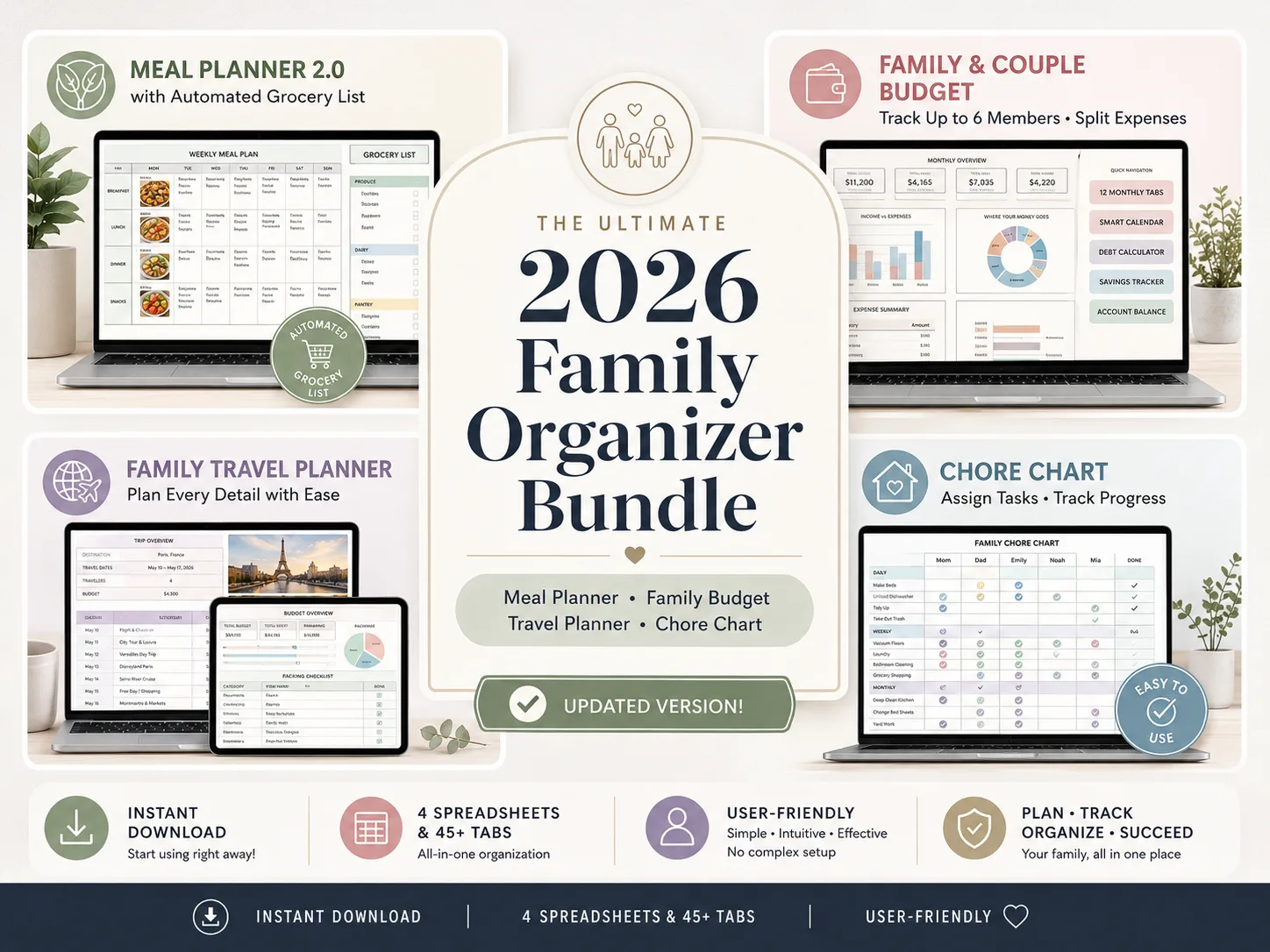
Most families lose the week across notes apps, group chats, and half-finished templates. The Ultimate Family Organizer Bundle puts your meals, budget, travel, and chores in one download. Excel and Google Sheets, both included.
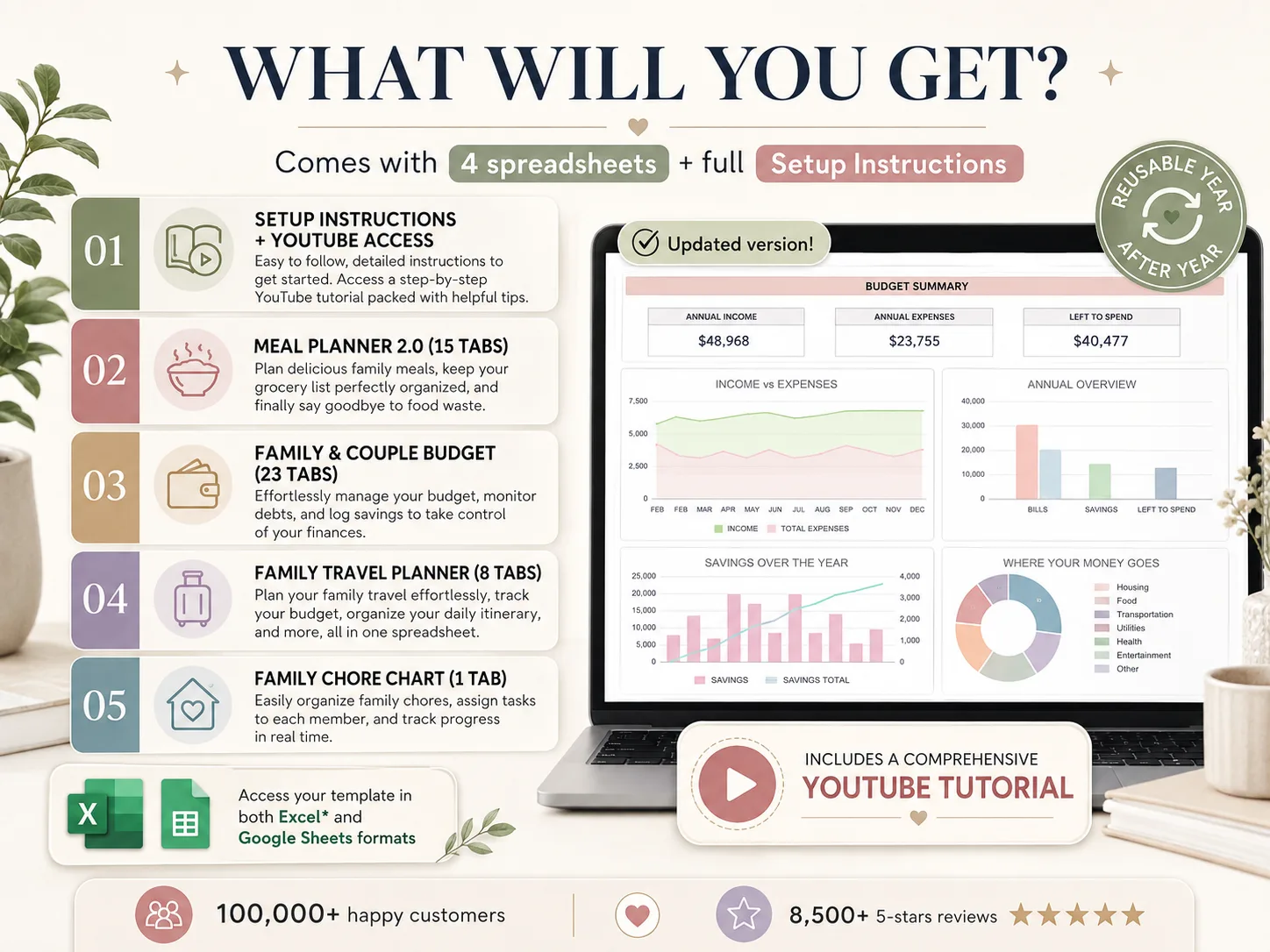
- 4 spreadsheets, 47 tabs, one download
- Excel and Google Sheets, both included
- Automated dashboards, grocery lists, chore progress
- Reusable every year, no subscription
Instant download • Works with Excel & Google Sheets • One-time payment
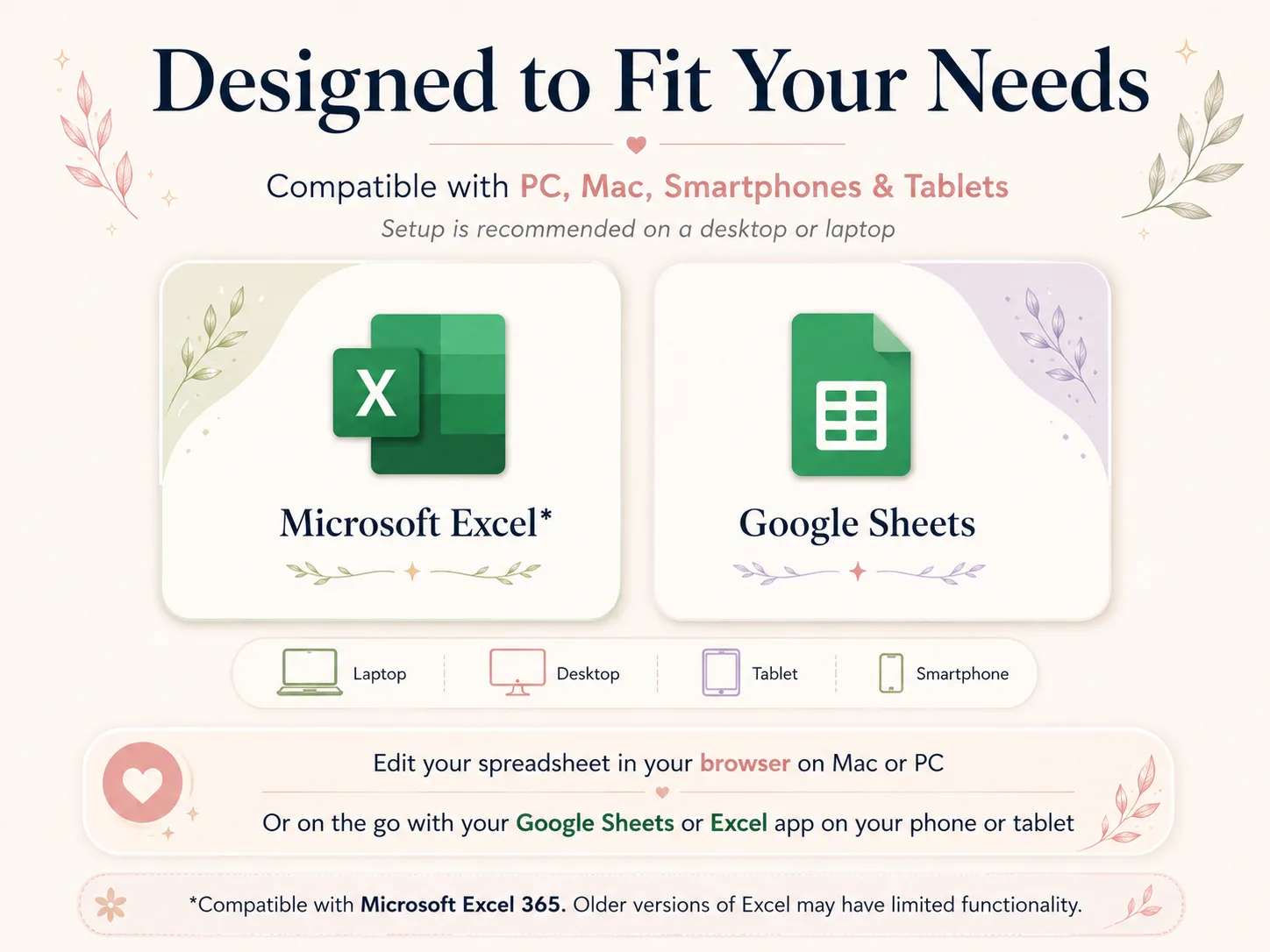
Designed to fit your family's devices
4 Spreadsheets. 47 Tabs. One Download.
Plan the week. Share the chores. Celebrate the progress. Every tab is built, formatted, and ready to use today.

What a Real Family Organizer Looks Like
Automated dashboards, a grocery list that builds itself, and a beginner-friendly setup. Meals, money, travel, and chores, all in one connected bundle.
Dashboards That Fill Themselves
Log the week once. Meal plans, budgets, trip costs, and chore progress update themselves. No formulas to write, no copy-paste.
Excel and Google Sheets, Both Included
One purchase, two formats. Edit in your browser on Mac or PC, or on the go from your phone or tablet.
No Spreadsheet Skills Required
Designed for busy parents, not accountants. A step-by-step YouTube tutorial with timestamps walks you through every tab.
Reusable Every Year, No Subscription
Duplicate the files for 2026, 2027 and beyond. Pay once, and never get pushed onto a monthly plan.
Everything in One Bundle: 47 Tabs, 4 Spreadsheets
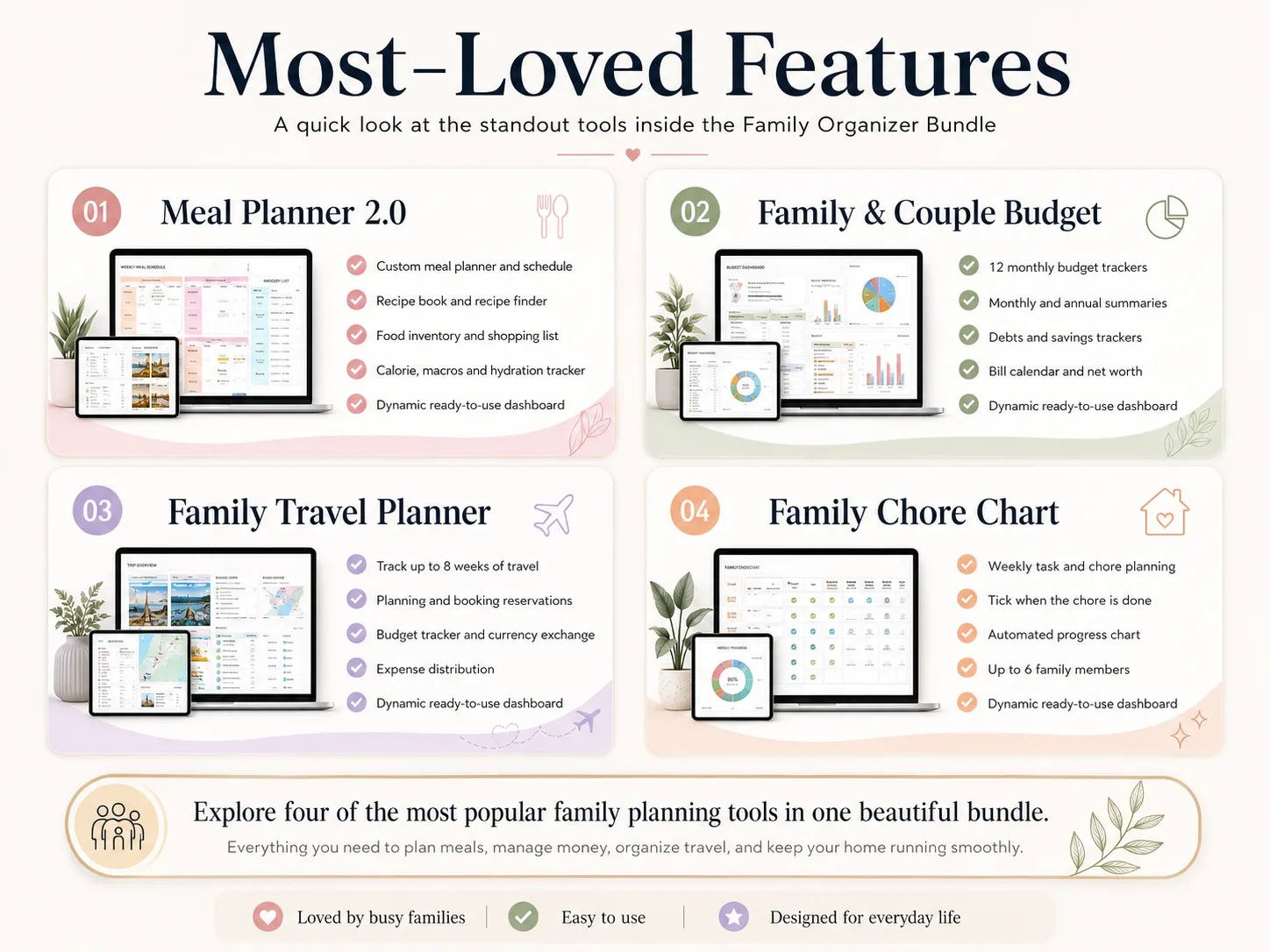
Meal Planner 2.0, Family & Couple Budget, Family Travel Planner, and Family Chore Chart. Stop juggling five apps and half-finished templates.
See Where the Week and the Money Go
Income-vs-expenses charts, spending breakdowns, grocery lists, and chore progress. Turn a scattered household into a plan you can actually see.
Here's Exactly What You Get
Meal Planner 2.0 (15 Tabs)
Weekly meal plans, a recipe book and recipe finder, food inventory, and a grocery list that builds itself. Plan dinner once and stop wasting food.
Family & Couple Budget (23 Tabs)
Twelve monthly trackers, annual summaries, a bill calendar, debt and savings trackers, and net worth. Automated charts that update themselves.
Travel Planner (8 Tabs) + Chore Chart (1 Tab)
Up to eight weeks of trip planning, bookings, budget and currency exchange, plus a weekly chore chart with tick-off progress for up to 6 family members.
Also Included
A Closer Look at All 47 Tabs
Four spreadsheets, tab by tab. Every one works in Excel and Google Sheets, and every dashboard fills itself in as you type.
Meal Dashboard
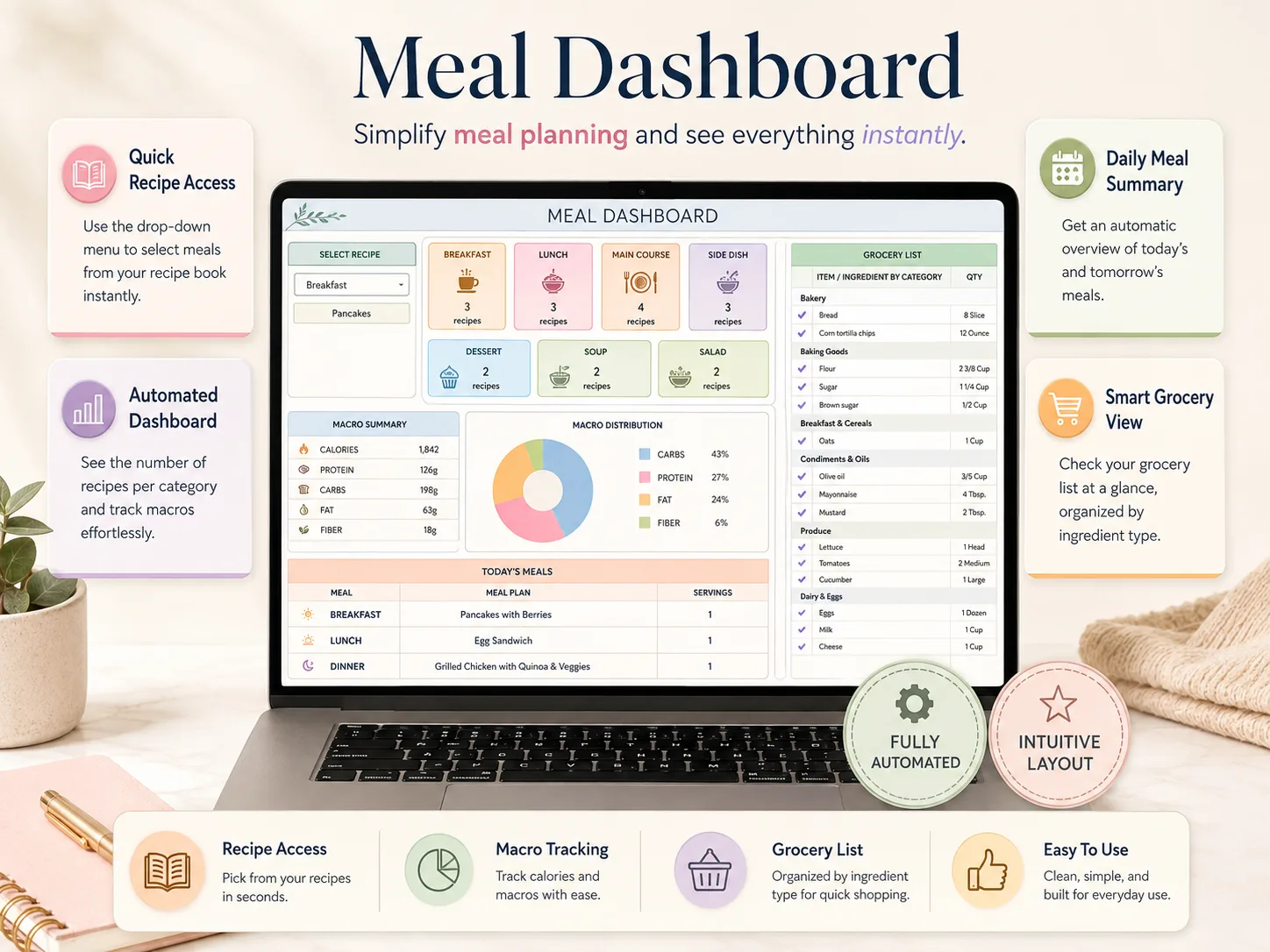
Simplify meal planning and see everything instantly. Today's and tomorrow's meals, the number of recipes in every category, your macros, and the grocery list all sit on one screen.
Weekly Meal Planner
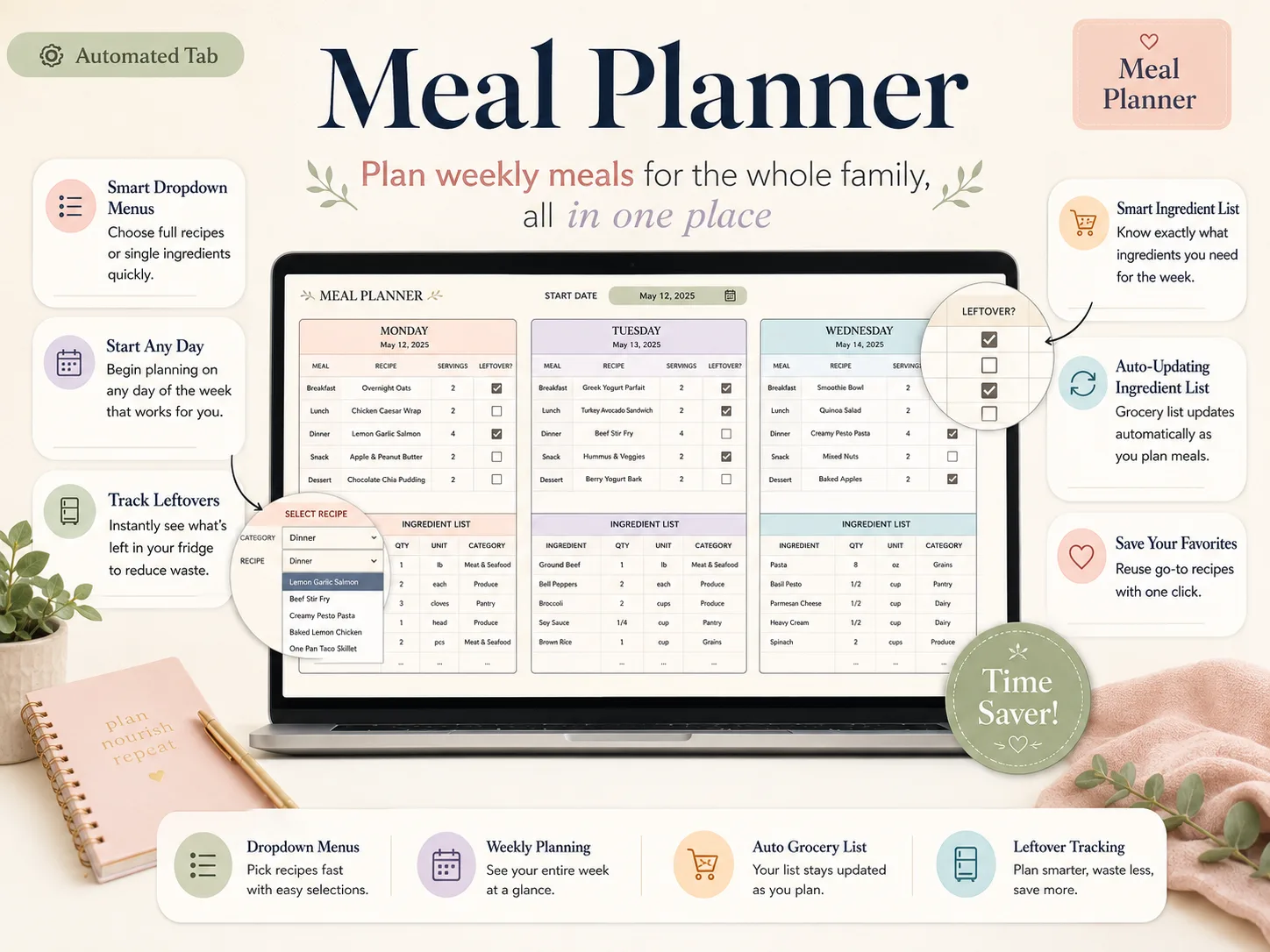
Plan weekly meals for the whole family, all in one place. Pick a full recipe or a single ingredient from a dropdown, and the ingredient list underneath updates as you go.
Recipe Book
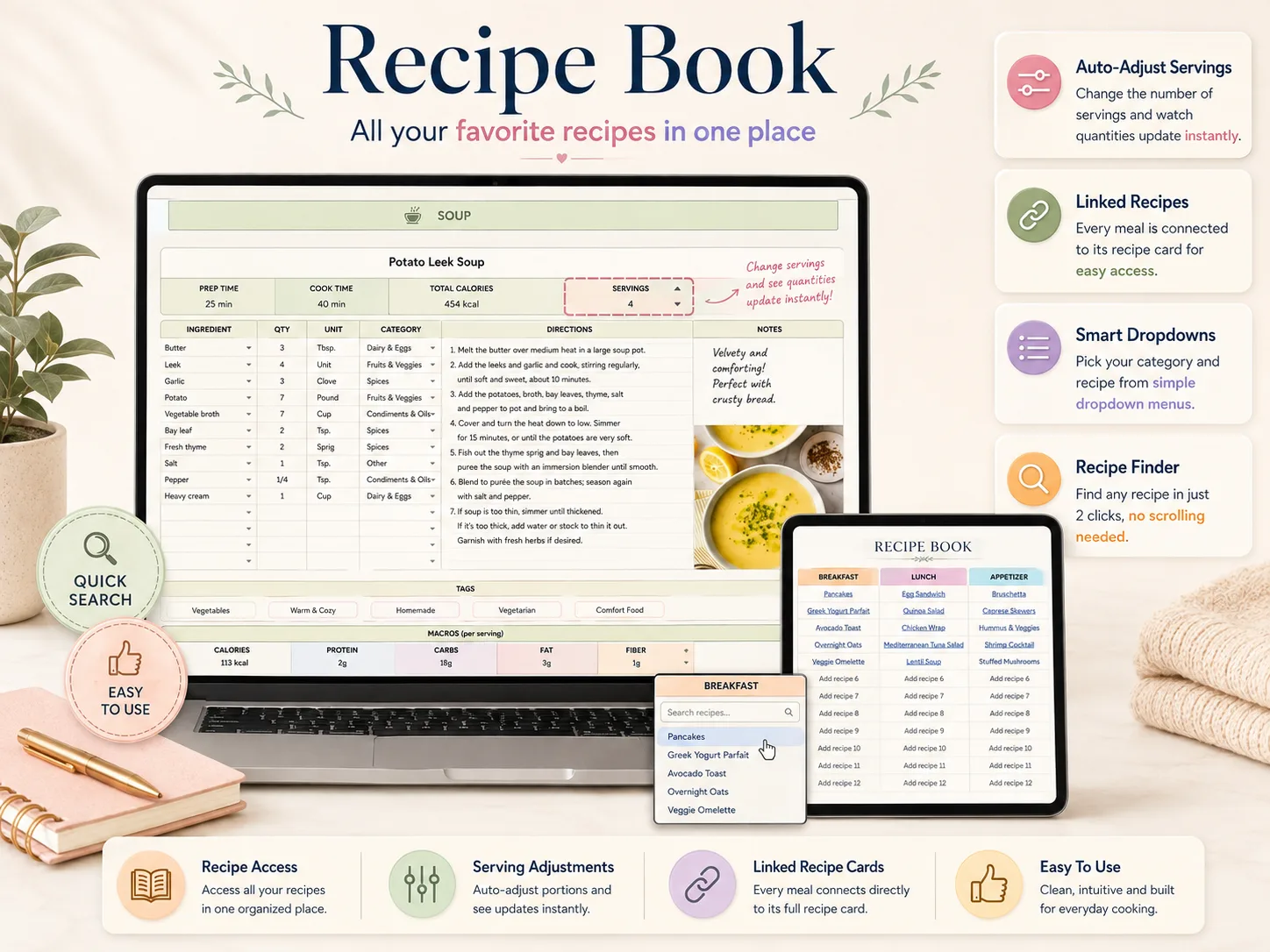
All your favourite recipes in one place. Every meal on the planner is linked to its own recipe card — prep time, ingredients, directions, notes and macros per serving.
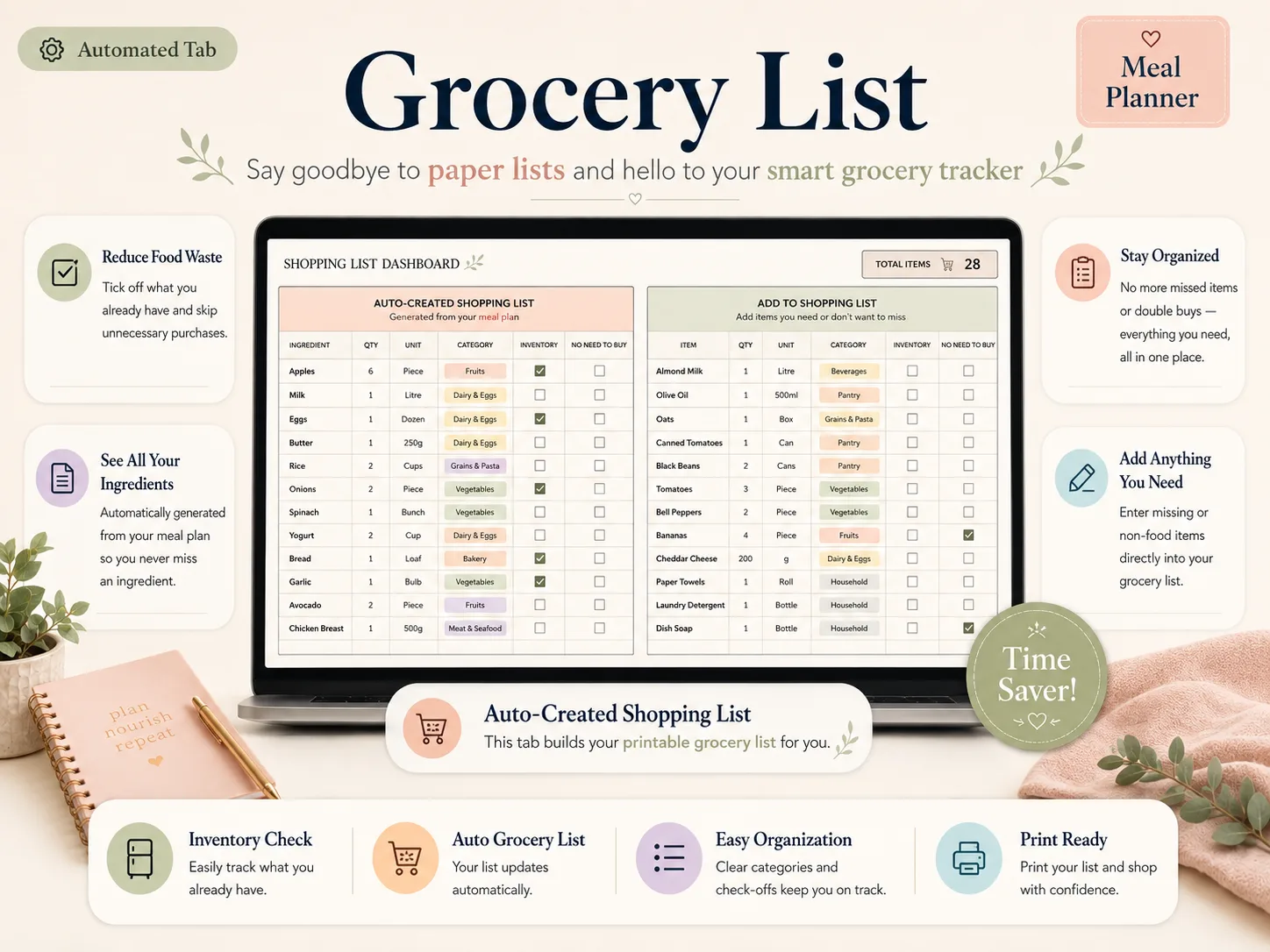
Grocery List
Say goodbye to paper lists and hello to your smart grocery tracker. The list builds itself from your meal plan, and you add anything else the house needs alongside it.
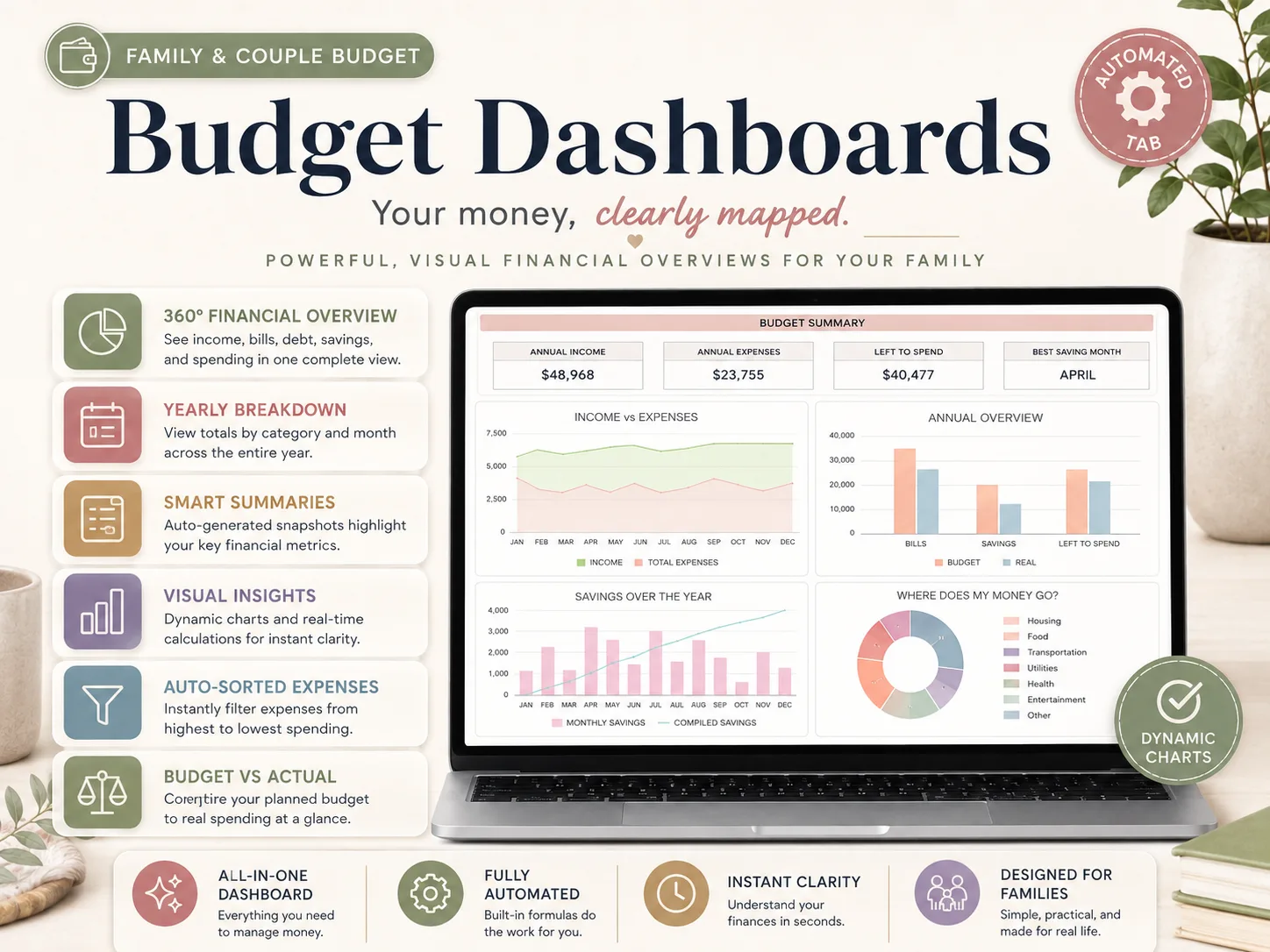
Budget Dashboards
Your money, clearly mapped. Annual income, expenses and left-to-spend sit up top, with income-versus-expenses, savings over the year and a where-does-my-money-go breakdown underneath.
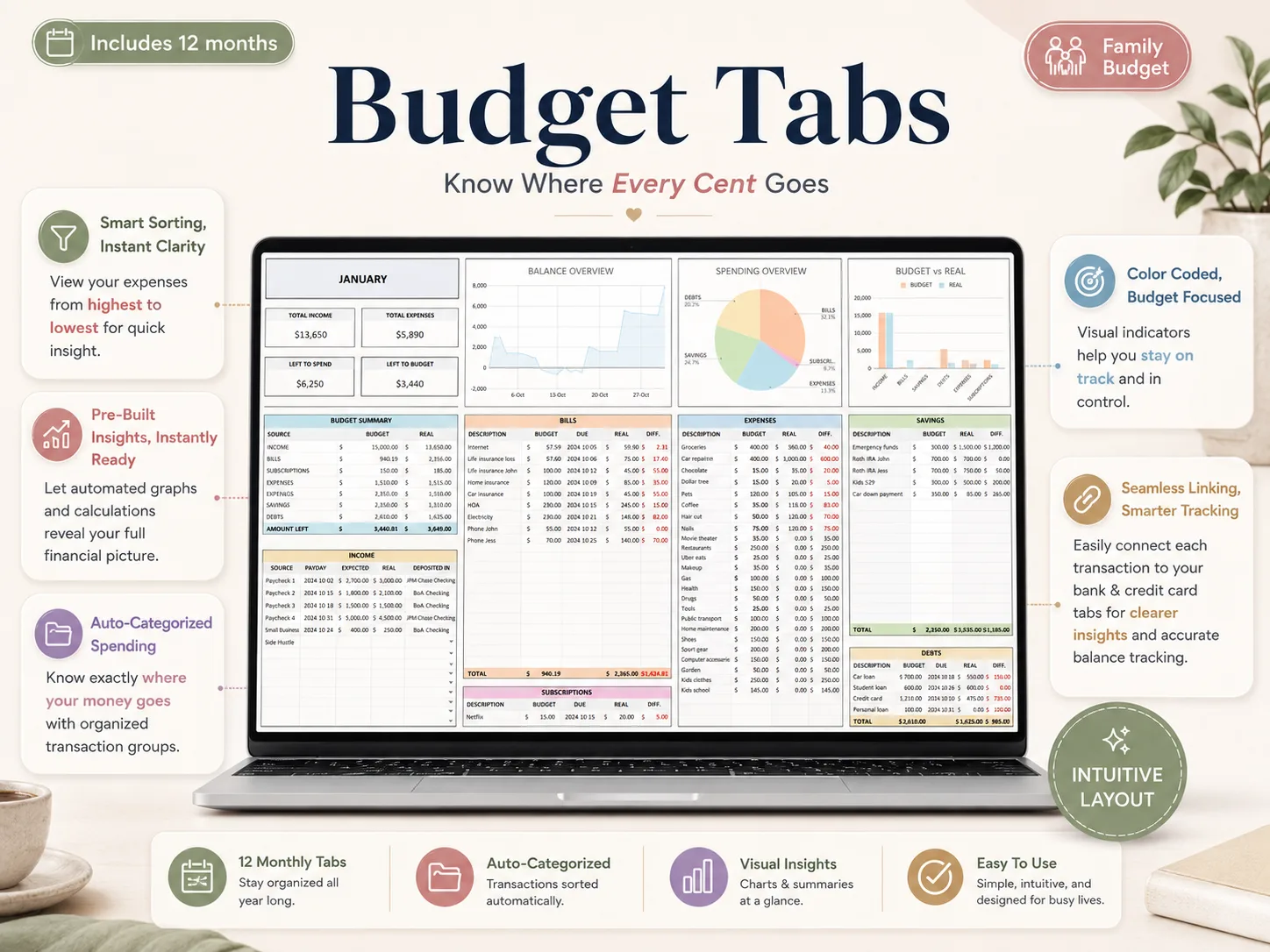
12 Monthly Budget Tabs
Know where every cent goes. One tab per month, each with income, bills, subscriptions, expenses, savings and debts laid out side by side against what you planned.
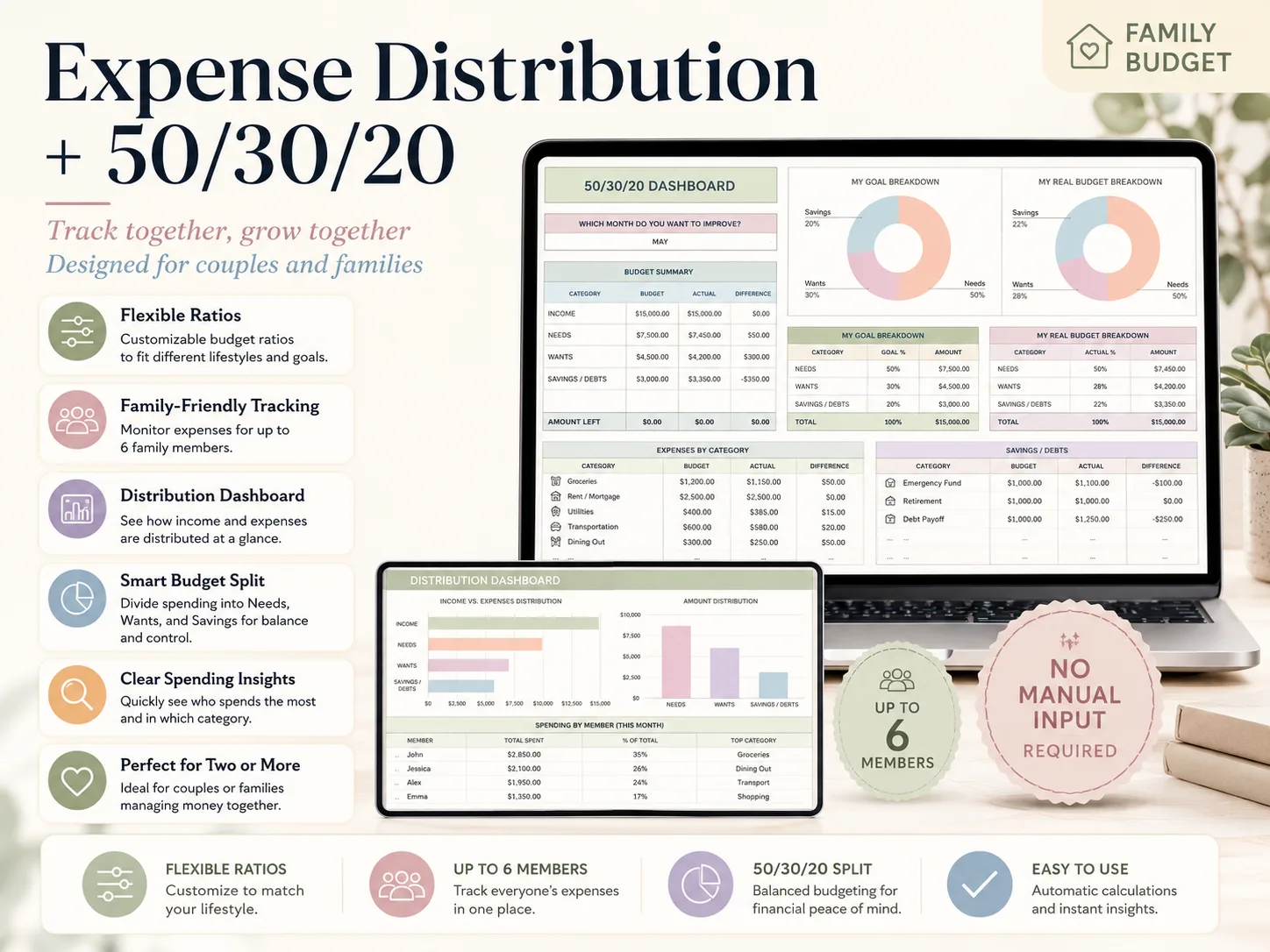
Expense Distribution + 50/30/20
Track together, grow together. Split spending into needs, wants and savings, set your own ratios, then see who spent what and in which category — for up to 6 family members.
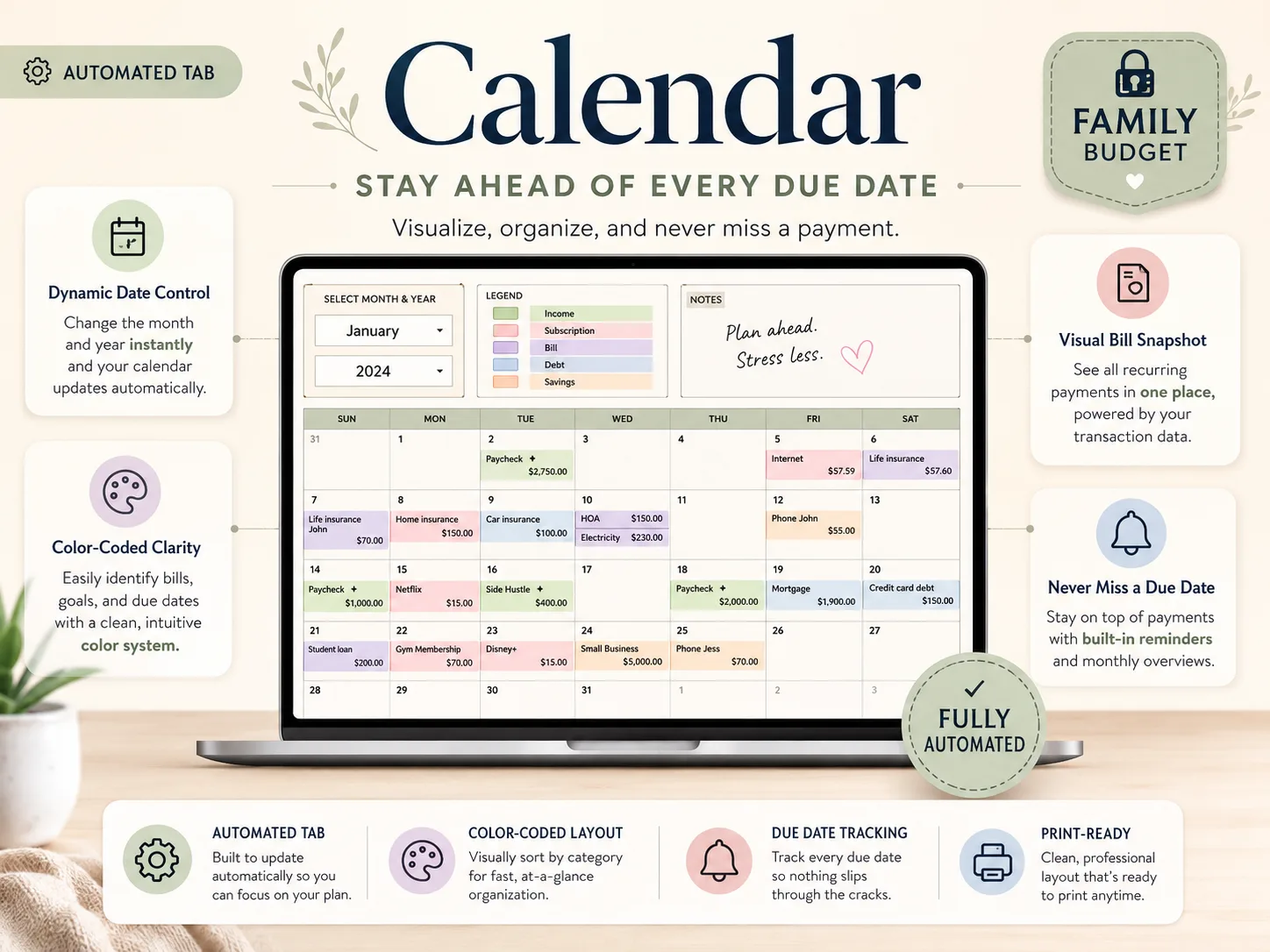
Automated Bill Calendar
Stay ahead of every due date. Visualise, organise, and never miss a payment — the calendar fills itself from your transaction data the moment you pick a month.
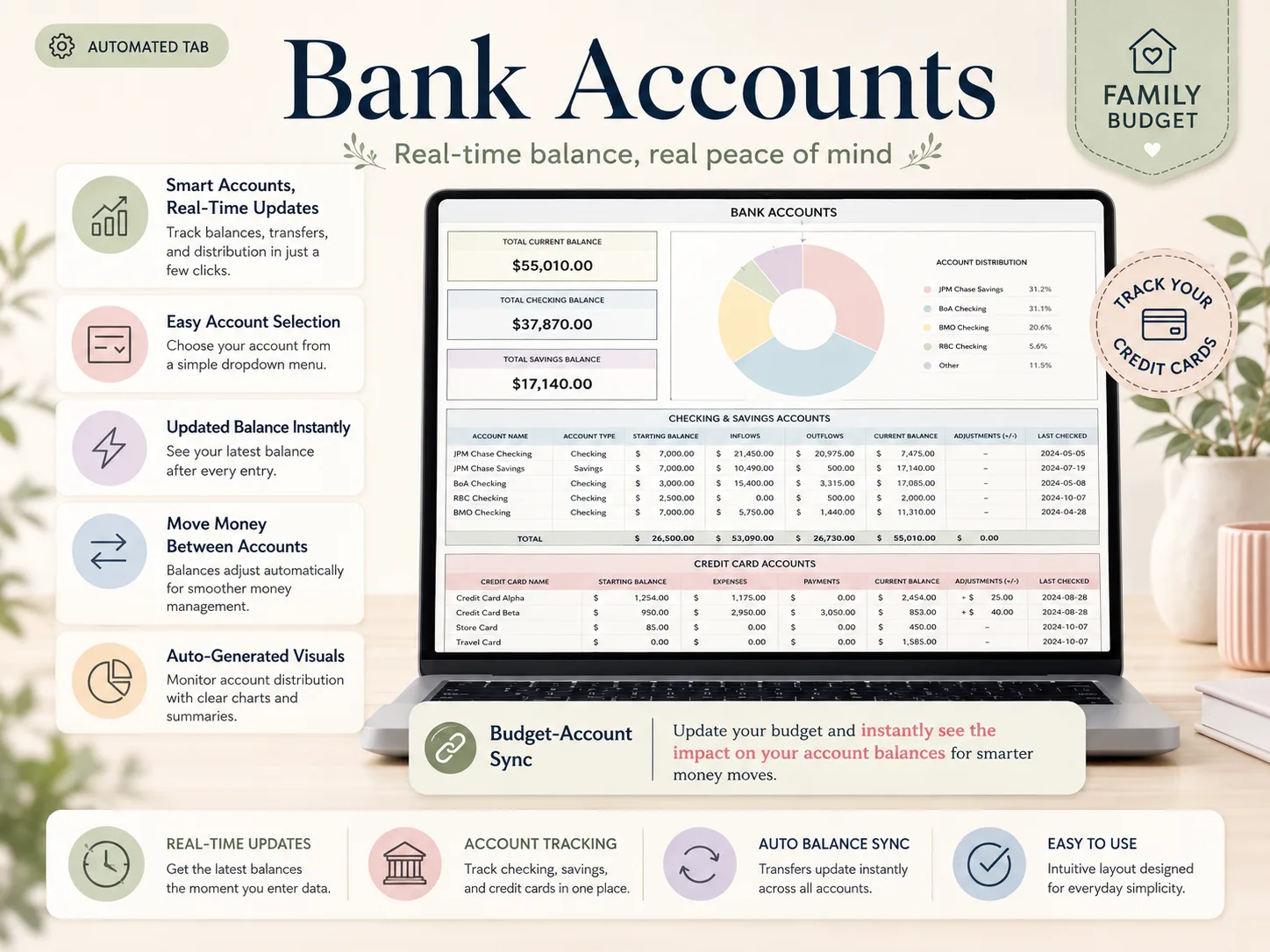
Bank Accounts & Cards
Real-time balance, real peace of mind. Track checking, savings and credit cards side by side, and watch every balance move as you enter the week's spending.
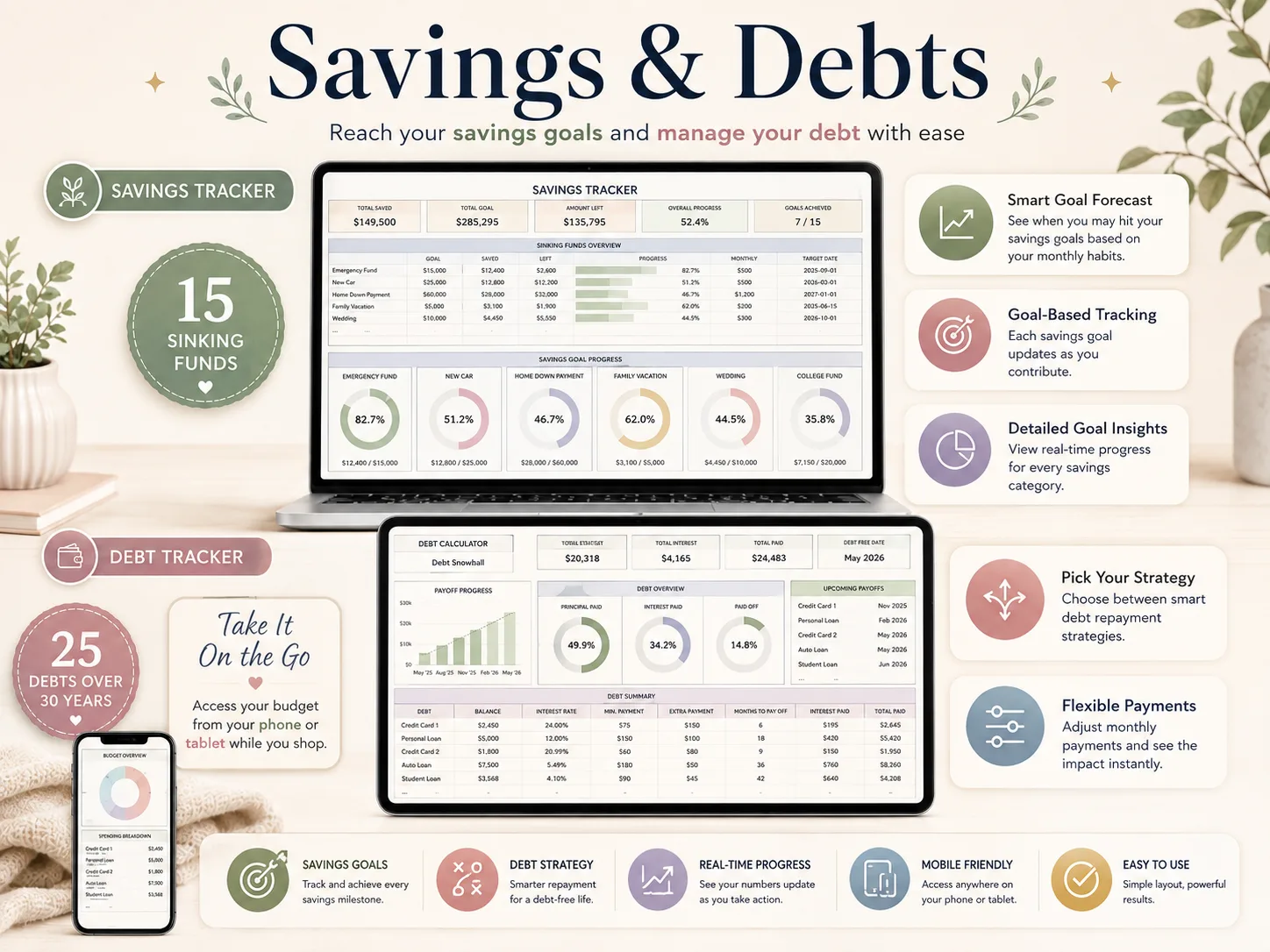
Savings & Debts
Reach your savings goals and manage your debt with ease. Fifteen sinking funds with progress rings on one side, a debt calculator covering 25 debts over 30 years on the other.
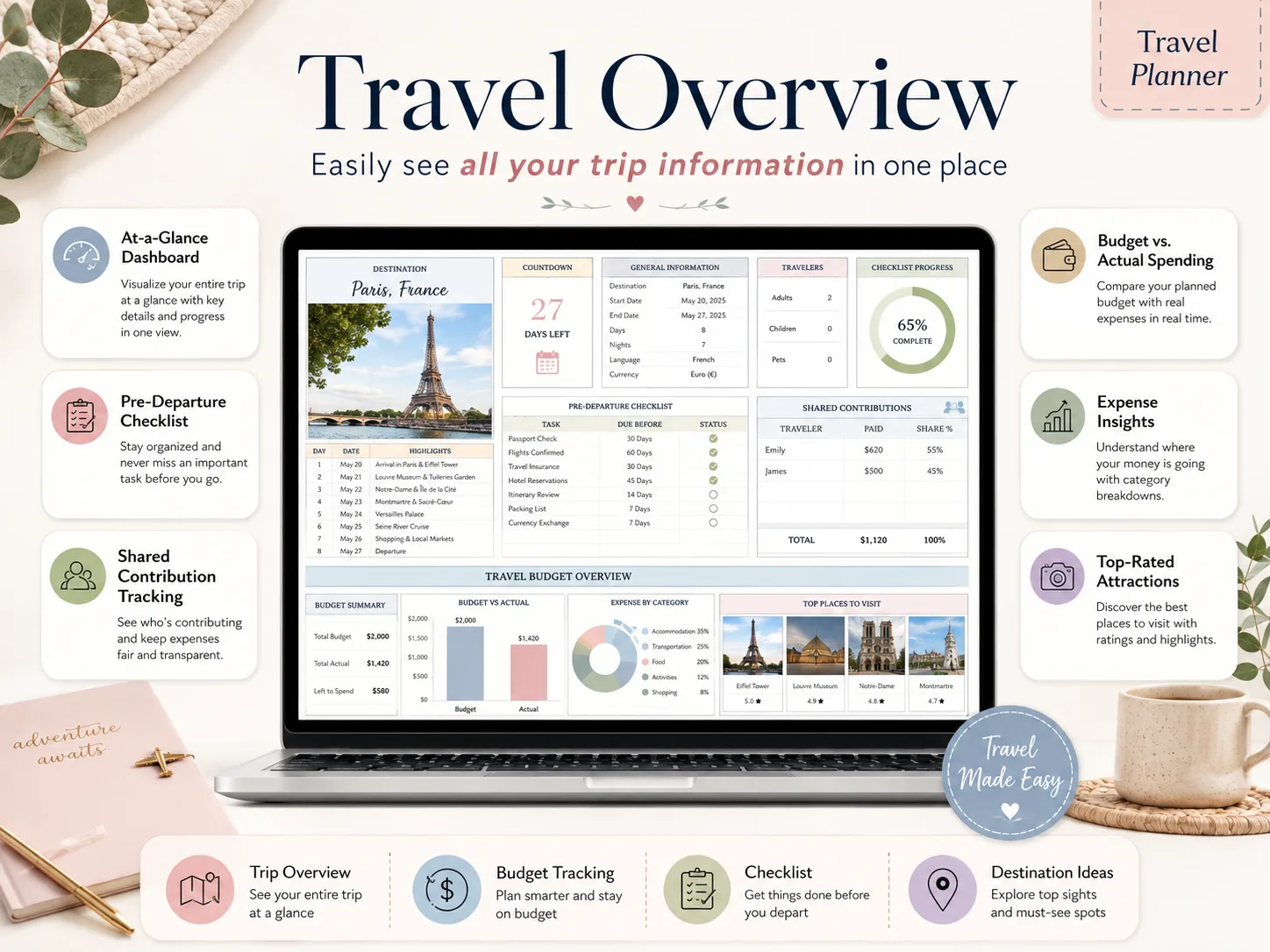
Travel Overview
Easily see all your trip information in one place. Countdown, day-by-day highlights, checklist progress and the trip budget, all on the tab you open first.
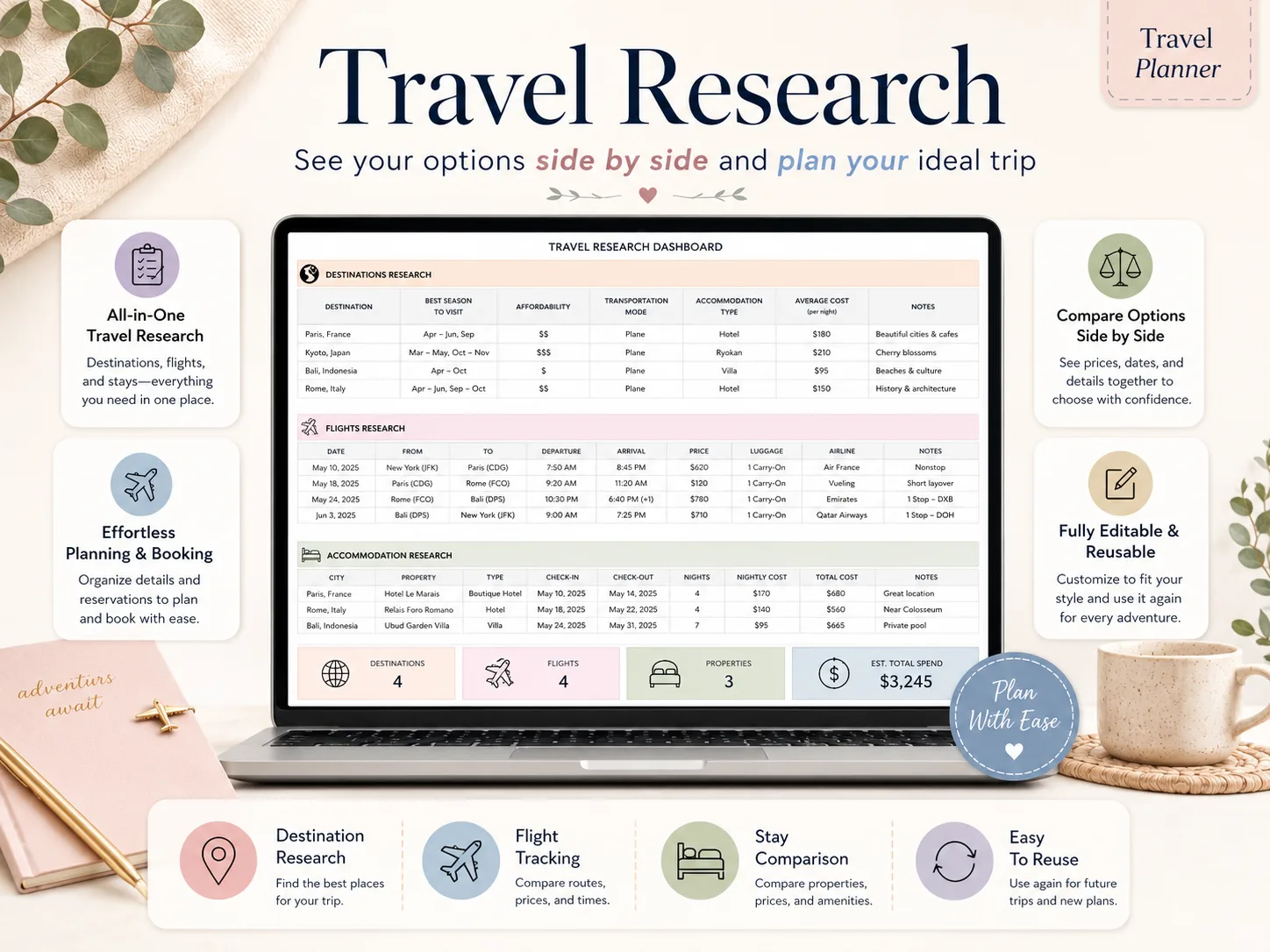
Travel Research
See your options side by side and plan your ideal trip. Destinations, flights and stays live in one comparison table, so you book with the numbers in front of you.
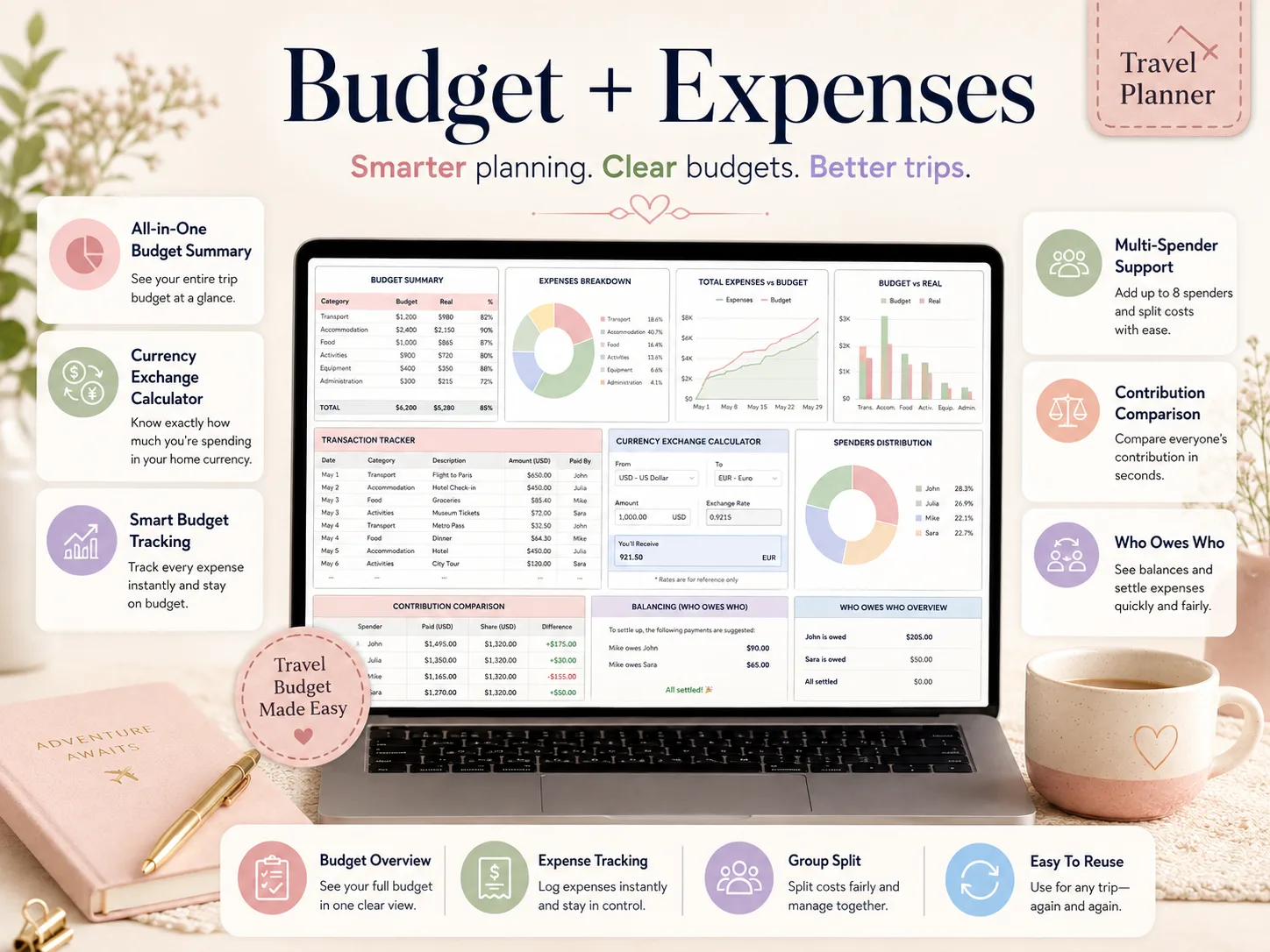
Travel Budget + Expenses
Smarter planning. Clear budgets. Better trips. Log expenses as they happen, convert them to your home currency, and let the sheet work out who owes who at the end.
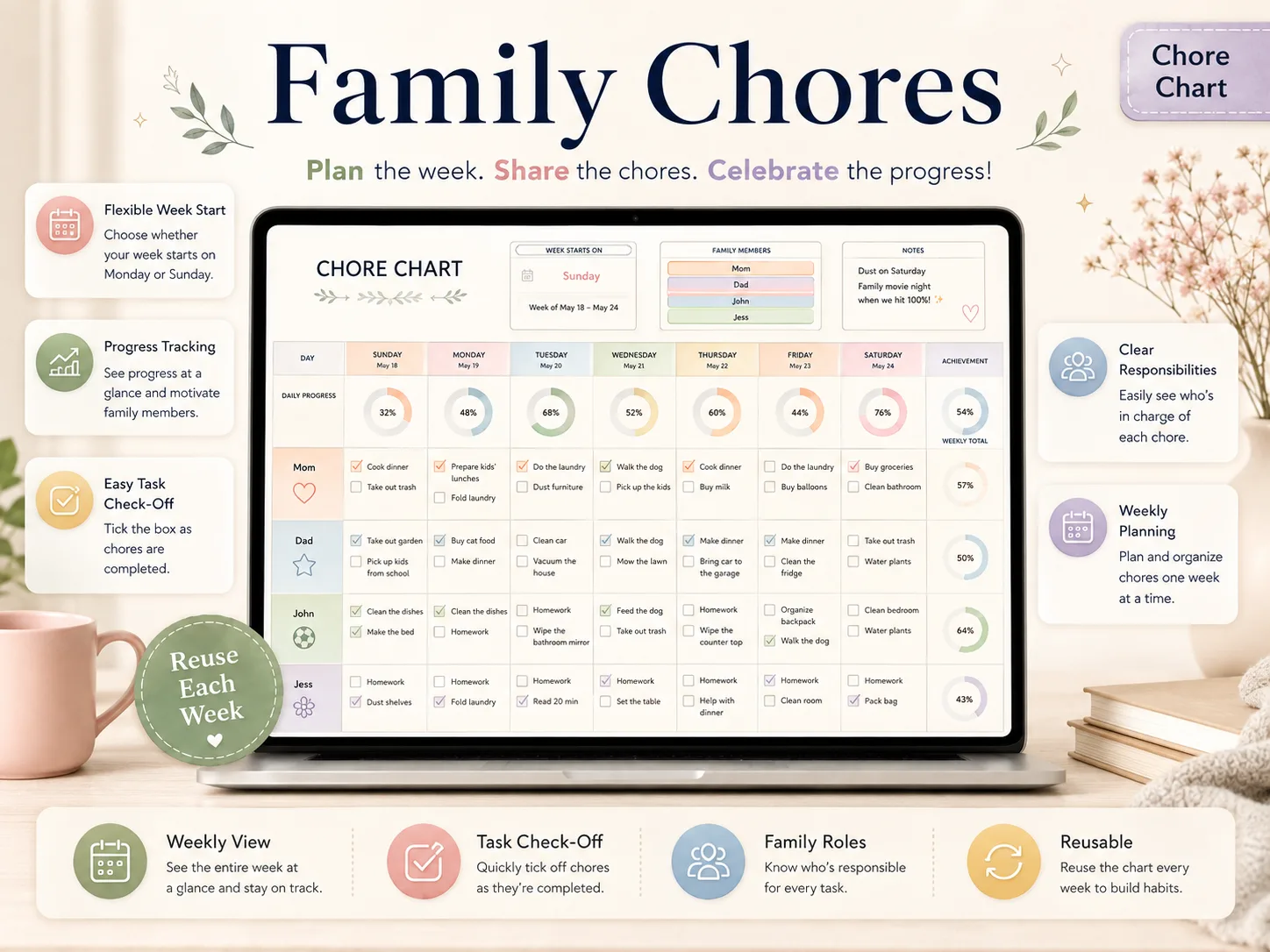
Family Chores
Plan the week. Share the chores. Celebrate the progress. Everyone gets a row, every day gets a progress ring, and the weekly total fills in as the boxes get ticked.
Watch the Tutorial. Set It Up Tonight.
An in-depth walkthrough of every spreadsheet, with timestamps and full voiceover. Follow along once and the whole bundle is set up for your family.
What Families Are Saying
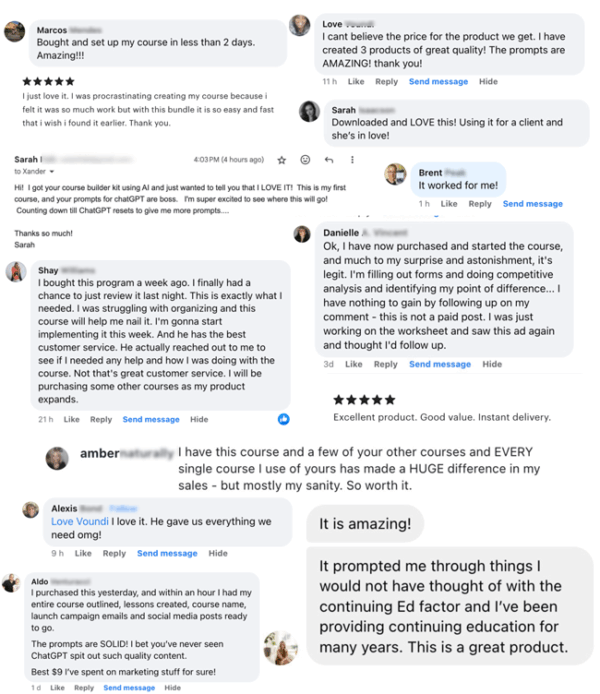
More than 100,000 happy customers and 8,500+ 5-star reviews — real words from real households.

Built for the Whole Family
One household, one set of spreadsheets. Track up to 6 family members in the budget's distribution dashboard, give each person their own row and chores on the chart, and split a trip fairly between everyone who chipped in.
47 Tabs, One Download, Yours Forever
Excel and Google Sheets, both included. Open it on your laptop, phone, or tablet. Fill in the week and the dashboards do the rest.
SET UP TONIGHT
Every tab is built, formatted, and pre-formulated. Fill in your week, follow the YouTube tutorial, and you're done in under an hour.
ONE PRICE, ALL YEARS
Pay once and reuse the files across 2026, 2027 and beyond. Simply duplicate the spreadsheets each year. No per-month fees, no subscriptions.
NO SKILLS NEEDED
Beginner friendly. Designed for busy parents, not accountants. If you can type into a cell, you can run your household with this bundle.
How It Works
Three steps between here and your family's first planned week.
Buy the Bundle
One secure checkout, one payment. The download link is emailed to you straight away.
Open the ZIP
Unzip the folder on your laptop, phone or tablet. Inside are all four spreadsheets, the setup PDF and the tutorial link.
Copy or Open
Click 'Make a copy' for the Google Sheets version, or open the Excel files in Excel 365. Start planning the same evening.
4 Spreadsheets, 47 Tabs. $9, One-Time.
Everything on this page is in a single download: Meal Planner 2.0, the Family & Couple Budget, the Family Travel Planner and the Family Chore Chart, plus the setup PDF and the YouTube tutorial. No subscription.
Original price, now discounted: $297
- Meal Planner 2.0 — planner, recipe book, grocery list (15 tabs)
- Family & Couple Budget — 12 monthly tabs, calendar, debts & savings (23 tabs)
- Family Travel Planner — research, itinerary, budget split (8 tabs)
- Family Chore Chart — layouts for 2 to 6 members (1 tab)
- Excel and Google Sheets versions of all four
- Setup instructions PDF + step-by-step YouTube tutorial
Instant digital download • Works with Excel & Google Sheets • One-time payment
Secure encrypted checkout


This is a digital product with immediate access after purchase. No refunds on digital downloads — but if a file won't open or a tab won't behave, email support@familyorganizerbundle.site and we'll sort it out with you.
Designed to Fit Your Needs
Compatible with PC, Mac, smartphones and tablets. Edit in your browser or on the go — setup is recommended on a desktop or laptop.
Frequently Asked Questions
Everything you need to know before you buy